Configuring CLAUDE.md: global conventions and project rules
Use an existing configuration to organize global conventions, project commands, compatibility requirements, and rules loaded when needed.
On this page6 sections
This article uses an existing configuration to explain what belongs in CLAUDE.md and how to keep its length manageable. The examples are specific to a project, so check the commands and conventions before reusing them. For tool settings, see Omnigate’s advanced Claude Code guide.
Syntax and loading order are covered in Omnigate’s CLAUDE.md guide. This article focuses on the configuration contents and the problems they address.
Global conventions
~/.claude/CLAUDE.md applies to every project and is suitable for general collaboration requirements. This configuration contains:
## General

- Reply in Simplified Chinese.
- Keep code comments concise and write them in English.
- After changing TypeScript, always run the type checker and fix every error.
- If something is uncertain, ask first instead of guessing and continuing.

## Writing files

If a file exceeds 200 lines, append it with multiple Edit operations rather than
one large Write operation. A large write can fail midway and leave half a file behind.
A short global file reduces the repeated instructions each project needs to read.
The file-writing rule came from a specific environment issue: I encountered large writes that failed and left truncated content. This configuration uses smaller writes to address that case. Whether the same limit is needed depends on the environment.
The project rules entry point
This setup uses the project root's CLAUDE.md as an entry point for the rules:
@AGENTS.mdCodex and OpenCode read AGENTS.md, while Claude Code reads CLAUDE.md. Keeping the rules in AGENTS.md and importing it from CLAUDE.md lets the tools share one set of rules.
Four kinds of project rules
Using Omnigate's Go backend and React frontend as an example, the configuration can be grouped by purpose.
First are project commands, which specify the package manager and checks:
- Use bun for frontend packages, not npm, yarn, or pnpm.
- Type check: `bun run typecheck`
- Lint: `bun run lint`
- After changing TS or TSX, run typecheck and leave no errors behind.
Without an explicit package manager, the model may use npm and introduce a package-lock.json that is inconsistent with the project's bun.lock.
Second are project conventions for compatibility and correctness. These requirements may not be apparent from the code alone:
- All JSON serialization must use the wrappers in common/json.go.
  Do not import encoding/json directly in application code.
- Database code must remain compatible with SQLite, MySQL 5.7.8+, and PostgreSQL 9.6+.
- Use lockForUpdate(tx) for row locking. GORM v2 silently ignores the old form,
  so the wrong code does not report an error—the lock simply never happens.
The row-locking rule addresses a case where the code does not report an error but the lock is ineffective. Recording the convention prompts a check of the actual call during implementation and review.
Third are limits on the scope and method of changes:
- Do not edit committed migration files; add a new migration.
- Do not change any *.gen.ts file because it is generated.
- For billing-related numeric conversions, use the helpers in common/quota_math.go.
  Do not use a bare int() conversion.
Fourth are lessons from actual issues. This section can grow gradually. When a similar error recurs, check whether a clear convention is missing.
For example, the rule against a GORM default:true tag on boolean fields came from an issue involving different handling of boolean defaults in MySQL and PostgreSQL. Each restart triggered an unnecessary ALTER TABLE, so the case was recorded in the project rules.
Limit repeated explanations
Review the file for these types of content:
- Directory descriptions the model can inspect directly; retain the parts relevant to execution.
- Broad requests such as "write high-quality code"; replace them with specific checks or conventions.
- Complete API documentation; keep it in a separate file to read or import with
@when needed. - General language fundamentals, which usually do not need repeating in project rules.
Controlling the length
When this configuration was documented, the project's AGENTS.md was a little over two hundred lines. That is a useful point to consider splitting it by purpose. Length is a prompt to review maintainability; the division depends on where each rule applies.
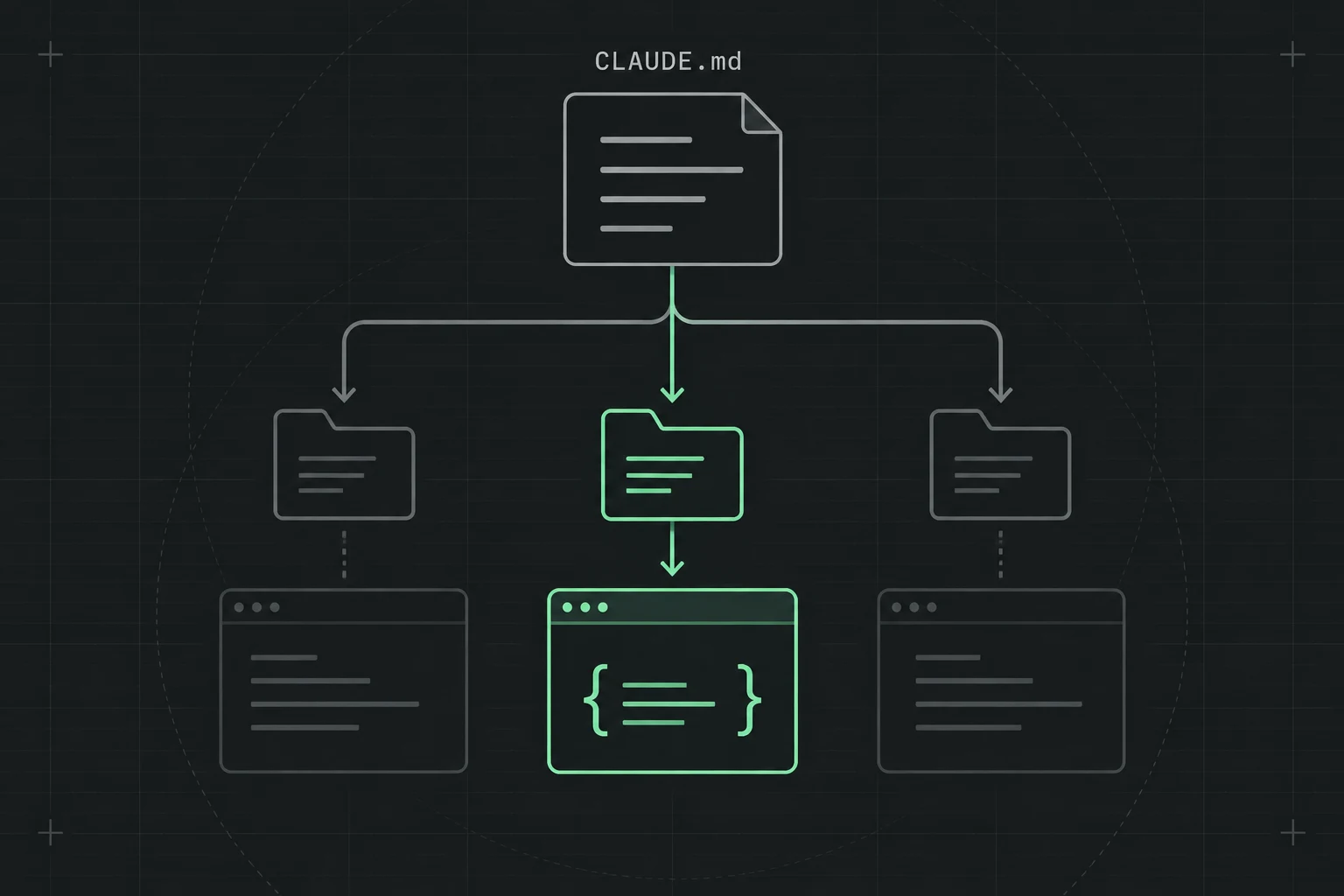
Stable, mandatory conventions remain in the main file. Domain knowledge moves into .claude/rules/ and loads only for matching paths. For example, rules for channel adapters are needed only when something under relay/channel/** changes:
---
paths:
  - "relay/channel/**"
---

When adding a channel, check whether the upstream provider supports StreamOptions.
If it does, add the channel to streamSupportedChannels.
This loads the corresponding rules for relevant files and reduces the instructions that unrelated tasks need to read.
Build and maintain the configuration
Start with an existing project and refine the file over time:
- Run
/init, review the generated directory description, and remove parts that do not help execution. - Add project commands and required conventions.
- When a similar error recurs, add or revise the relevant rule.
Keep each instruction connected to a requirement, a check, or an issue that has occurred, so its purpose remains clear during maintenance.
Originally published in the Omnigate documentation.
End of article
Keep reading