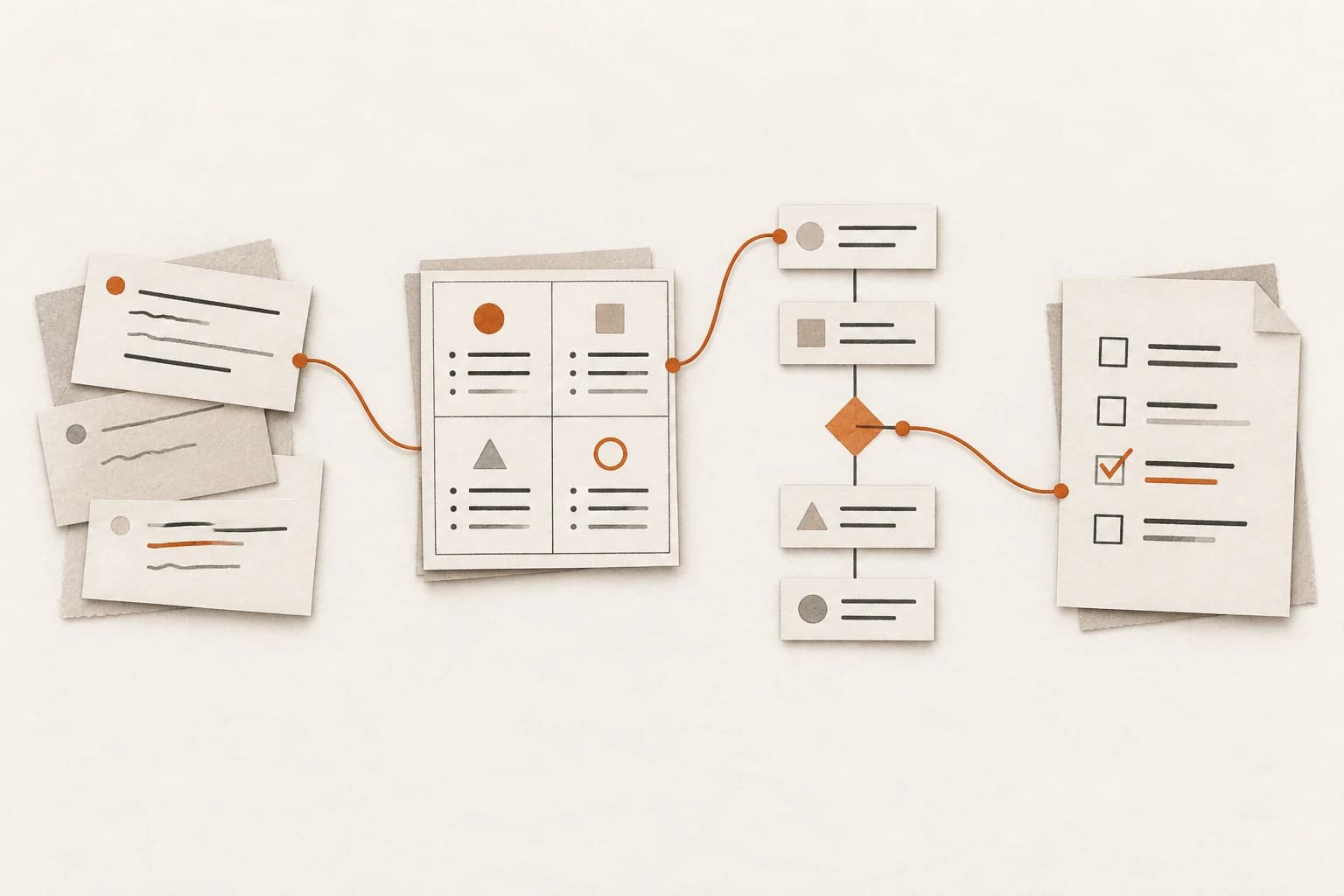
Conuo: source reading, AI questions, and study notes in one workspace
How Conuo connects source-scoped questions, citation checks, PDF region study, notes, and human-reviewed knowledge drafts.
On this page11 sections
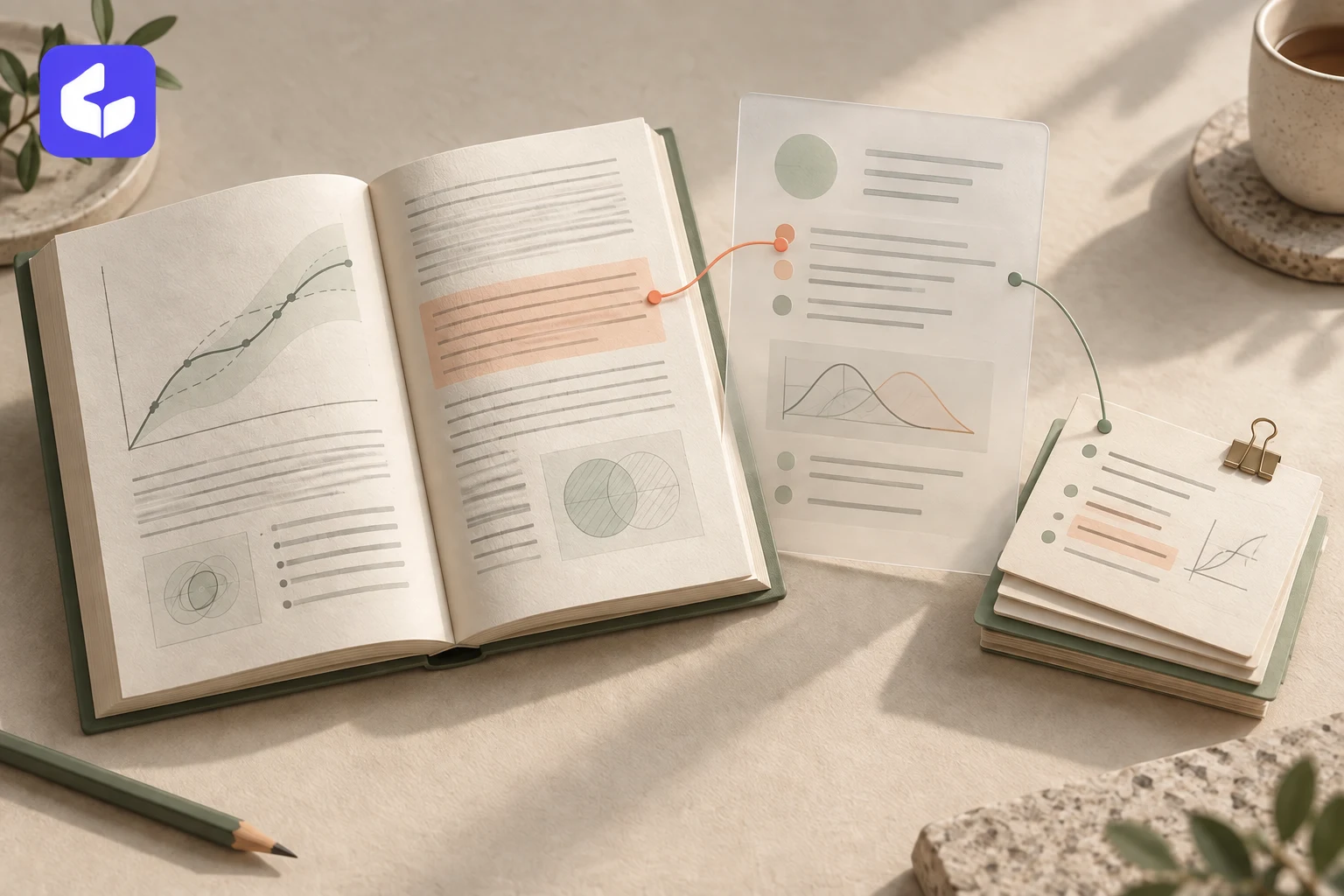
When reading technical material, an AI explanation can look complete while still requiring work to verify. Checking a sentence means returning to the source, finding the page, examining the formula, and deciding whether the explanation goes beyond the material. Useful discussion then needs to be extracted from the chat.
I built Conuo as an AI-assisted learning workspace, currently in development. It puts source reading, conversations with citations, and note editing in the same workspace so users can ask questions beside the original and retain what they have checked.
This article uses original test material about derivatives and tangent lines. The screenshots show the local development interface. Capabilities and validation boundaries reflect the development records of September 15, 2026; the product has not been publicly deployed.
Where it helps
Conuo connects several related reading tasks. After importing material, users choose the sources available to a question. Citations provide a route back to the original. Useful answers can become notes or knowledge-page drafts for review.
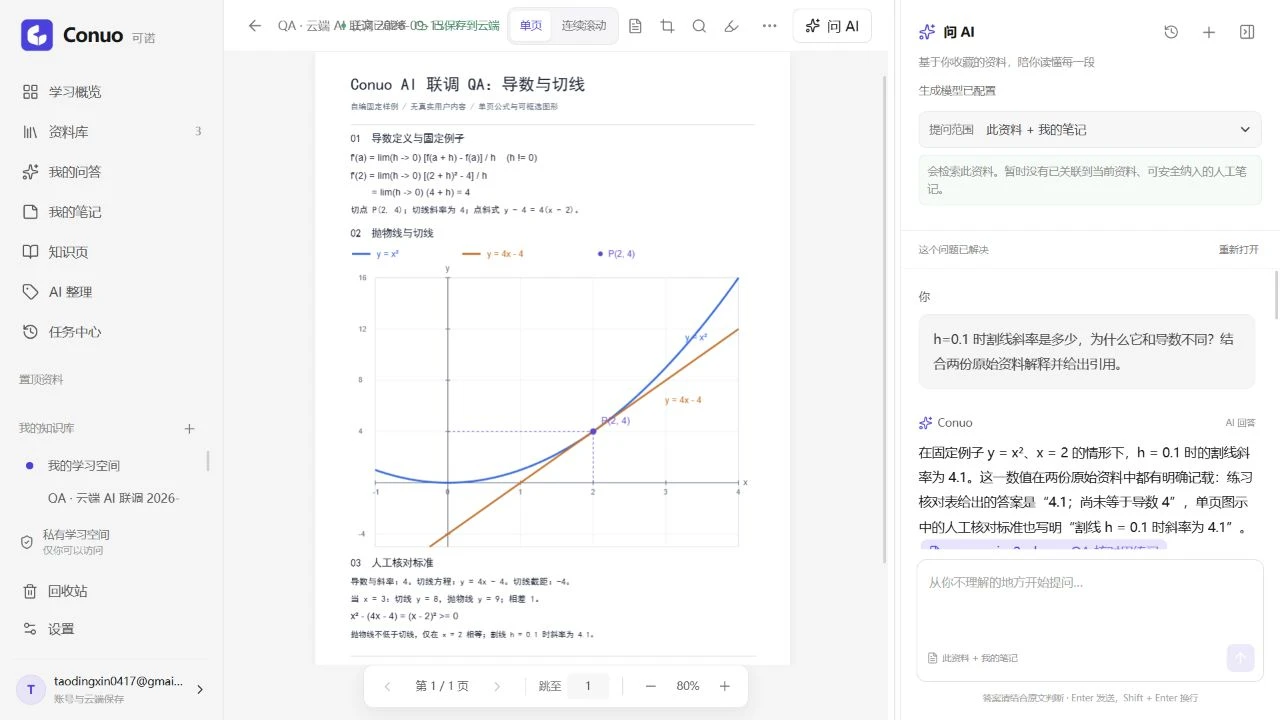
For example, keep a PDF containing formulas and a graph on the left and ask on the right why a secant slope is not yet equal to the derivative. Then compare the response with the cited calculation and graph, rather than checking only whether the prose sounds plausible.
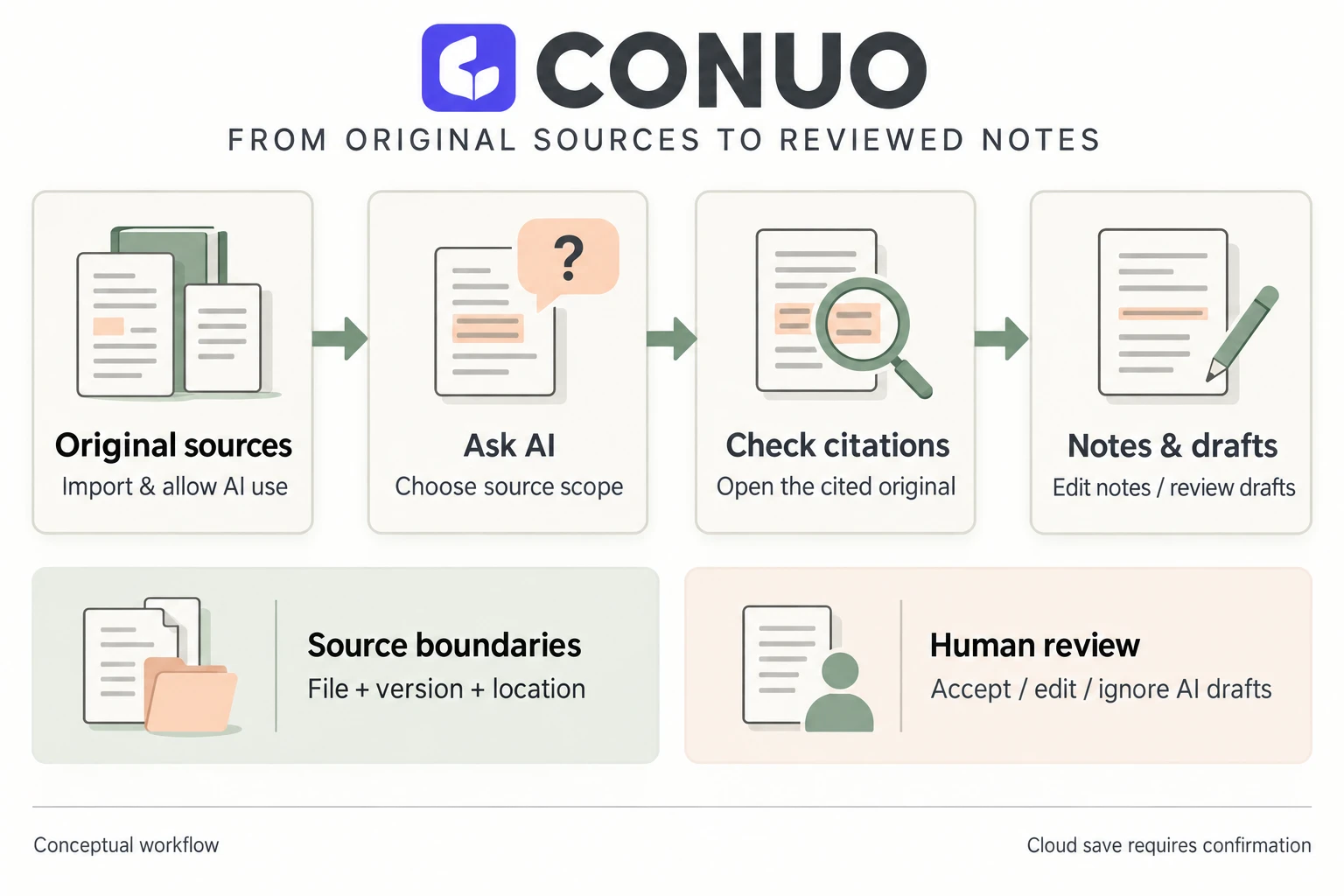
This arrangement can reduce window switching, copying context, and organizing references. Whether it improves learning needs to be observed in actual use. Learning-efficiency and accuracy gains have not been measured.
Reading through one source
1. Import material and decide what AI may use
The current version supports PDF, DOCX, Markdown, TXT, and webpage material. Check the parsing preview before proceeding. A public article can be extracted or its body pasted by the user; saving a link alone does not mean the full article has been obtained.
New sources have AI use disabled by default. Users explicitly allow it when they want to ask questions or organize content. Sources without that permission remain available for reading and ordinary search; adding a file to the library does not automatically send it to a model.
2. Choose a scope and ask a verifiable question
Questions can use selected source text, the current material, or an explicitly chosen set of sources. The scope should contain the evidence needed for that question, without unrelated documents.
The test material includes a fixed example: the derivative of y = x² at x = 2 is 4, but the secant slope for h = 0.1 is 4.1. An example question is:
Using only the selected sources, explain why the secant slope at h = 0.1 differs from the derivative.
Show the calculation steps in the original and provide their citations.
Identify any additional derivation that the sources do not state.
This checks both the calculation and whether the response confuses a secant with a tangent. It is manually written test material, not evidence that the model will correctly interpret arbitrary mathematical documents.
3. Open citations and check what they support
A citation needs to identify its source, version, and original location. Check more than whether a reference exists: does the passage support this sentence, were conditions omitted from the formula, and did the model add a conclusion the source does not state?
When a source is replaced with a new file version, old citations retain the original version identity. If that historical evidence is unavailable, the interface needs to explain why, rather than substituting a similar passage from the newer file.
The system can check source identity and accessibility. That does not prove the response is correct. Derivations, comparisons, and summaries still need content review.
4. Explicitly send a region when a diagram needs explanation
Users can select a rectangular region of the current PDF page for a vision-model request. Inspect the screenshot preview, then choose an explanation, a question about the region, or a one-time practice exercise. Selecting and previewing do not call the model; the screenshot is transmitted only after an explicit send action.
For example, select the intersection of a parabola and a tangent and ask which parts of the diagram indicate tangency. Check the explanation against the formula on the page.
This is not full-page OCR and does not make an entire scanned PDF searchable. The screenshot is temporary input by default. Results appear in a one-time panel, with no current refresh-recovery entry that turns them into a permanent study record.
5. Save useful content and add your understanding
Only completed answers that pass citation validation enter the save-as flow. Users can save an answer as a note or append content with original-source citations to a knowledge page in the current collection, then edit and review it.
The “This source + my notes” scope shows personal notes as a separate kind of evidence, not as original text. Answers using that evidence currently cannot be saved directly as notes or knowledge pages, to avoid losing the personal-note provenance while keeping only the prose.
Paragraphs shown during streaming are previews. An incomplete record retained after stopping cannot be saved as a complete note. After editing, wait for cloud-save confirmation to know that the change has been retained.
Why knowledge pages require review
A conversation usually addresses a local question. A knowledge page organizes concepts, explanations, examples, and sources for later reading.
Conuo can propose topic drafts from explicitly selected sources. Users review each draft, accept useful content, revise inaccuracies, or ignore unsuitable suggestions. Updates to an existing knowledge page also present proposed changes before they are applied.
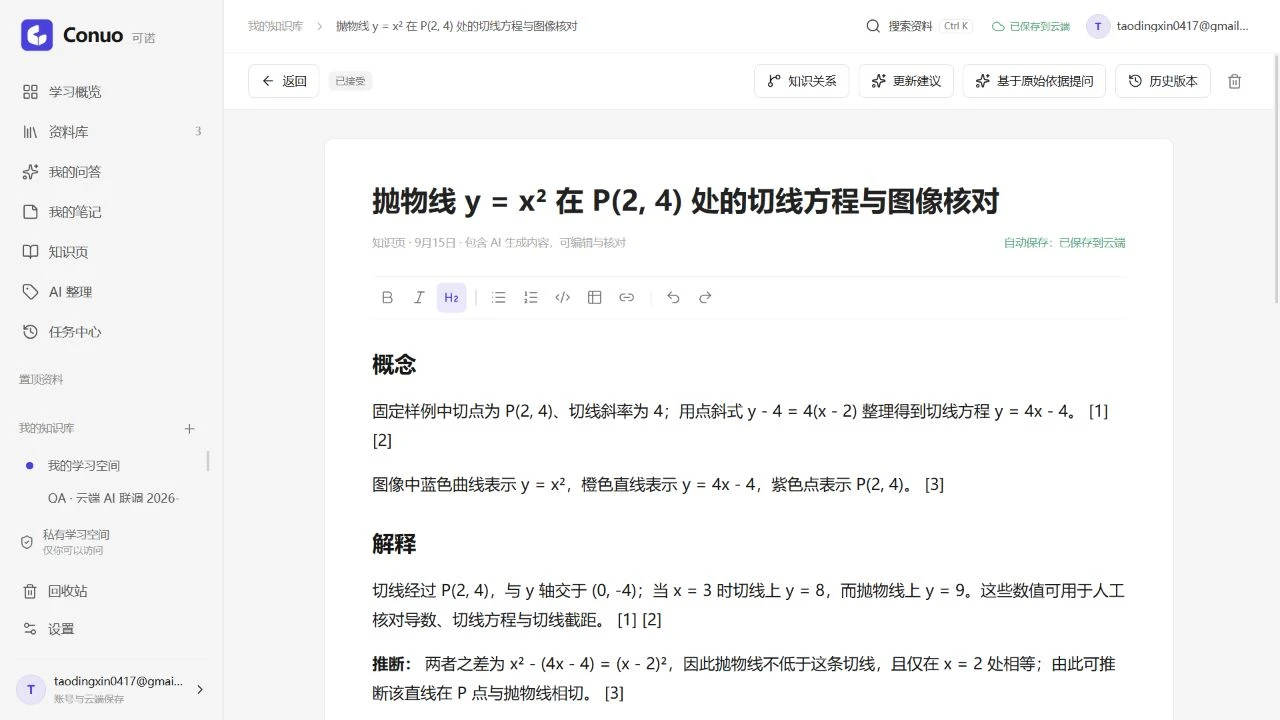
Accepting a draft means the user has chosen to include it in a knowledge page, not that the system has proved every sentence correct. AI-generated markings and sources remain available for later checks.
The knowledge page's original-evidence question action uses linked original material. It does not treat the page body as original source text. An earlier generated explanation does not automatically become factual evidence just because it was saved.
What the engineering work involved
The interface uses Next.js, React, and TypeScript. PDF.js provides original-page reading, text selection, and zoom; Tiptap supports note and knowledge-page editing. Placing the reader beside the conversation also requires consistent relationships between page numbers, selected text, citation locations, and file versions.
The server prepares model input using the current account, source permissions, and versions, then validates returned citations. Model configuration and credentials stay server-side. Recent user questions can help interpret follow-ups, but previous assistant answers are not automatically treated as source facts.
The current web version requires login and uses Supabase's database and private file storage as its official storage. The browser temporarily holds current edits. Offline connections, rejected writes, and uncertain save responses need honest status feedback. Refreshing reloads cloud content; unsaved edits and unapplied review changes may be lost. A future desktop local-and-cloud storage design has not been implemented, so this web version should not be described as an offline knowledge base.
This work made content state an important part of the product: original text, generated previews, drafts awaiting review, user-accepted knowledge pages, and cloud-confirmed content need clear distinctions. Connecting a model API alone does not address those details.
What has been validated
Limited live-model and authenticated-account checks have covered document questions, citation review, saving answers as notes, PDF region explanations and questions, one-time exercises, and accepting knowledge drafts with cloud saving and refresh recovery.
Remaining work includes:
- Complete real-world cross-account, two-device concurrency, offline, and save-conflict acceptance checks.
- Persistent production background processing. A running development page does not establish that jobs will continue after it closes.
- Full live validation of vector retrieval. Source-scoped questions and existing keyword search should not be presented as a completed whole-library semantic Q&A system.
At this stage, the reading flow and engineering decisions can be demonstrated, but it is not a publicly available product accepting registrations.
Further reading
See the Conuo project page for the interface gallery and technical overview. For writing verification requirements into an AI assignment, read Structure and process: before handing work to AI. For context preparation and checking results, see AI coding practice: context, verification, and cost.
End of article
Keep reading