After 56.8B tokens: how I choose models and agents
From code completion to desktop agents: the models and tools I switched between since November 2025, and the criteria I now use to judge a model or an agent.
On this page14 sections

This article is for people who are just starting to write code with AI. It is a record of my own use from November 2025 to September 2026, not a benchmark. Models and tools change quickly, so each conclusion applies only to the versions and time period named here.
The short version: choose a model by what the task needs, not by leaderboards or by price. Below are the tools I switched between, why I switched, and the criteria I now use to judge models and agents.
1. Start with the data: more usage doesn't mean better output
The AI usage panel on my home page shows my self-reported cumulative token counts:
| Tool | Cumulative tokens | Share |
|---|---|---|
| Codex | 36.8B | about 65% |
| DeepSeek | 14.3B | about 25% |
| Claude | 5.7B | about 10% |
| Total | 56.8B | 100% |
Claude has the smallest share, yet in my experience it delivers the best results.
Token counts show which tool carried the main workload at the time and how many long tasks it ran, not which model is better. Long-running tasks, re-reading project files, and repeated self-checks all add up quickly. DeepSeek's 14.3B is a good example: most of it didn't come from my own conversations, but from later running it as an executor on specific tasks (see "Codex plans, DeepSeek executes" in section 2). When you look at your own usage, keep "how much I used" separate from "how good the output was".
2. What I used, and why I switched
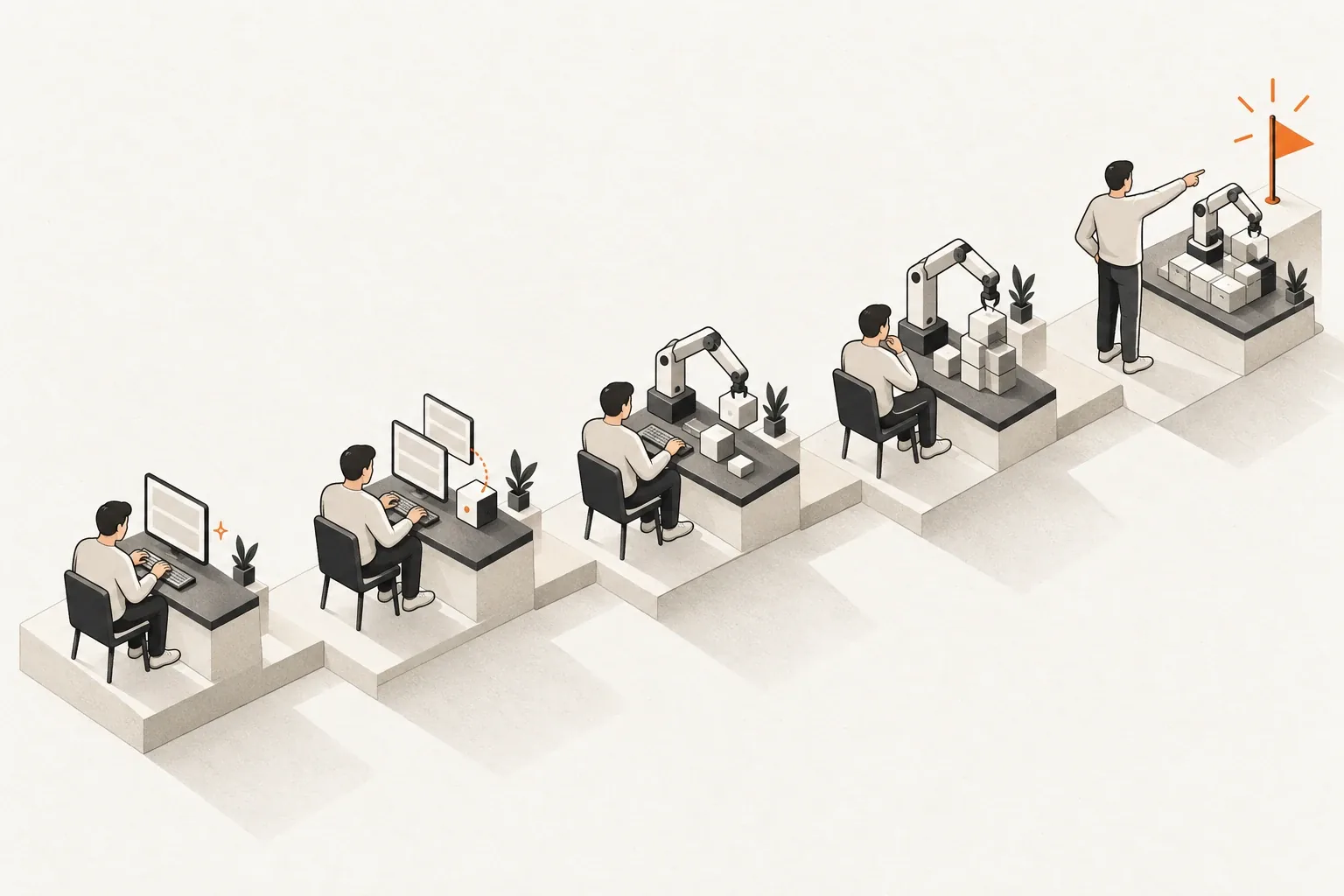
| Stage | Roughly when | Main tool | Model | My role |
|---|---|---|---|---|
| Code completion | From Nov 2025 | Antigravity | Gemini 3 Pro (default) | Wrote most of the code myself |
| Moving to Claude | From Feb 2026 | Claude Code CLI (via a third-party reseller) | Claude Opus 4.6 | Built the scaffolding; AI implemented features |
| Trying Chinese models | From Jun 2026 | Claude Code CLI, CodeBuddy CLI | DeepSeek V4, MiMo V2.5, Qwen 3.7, GLM 4.7 | Same as above |
| Switching to Codex | From Jul 2026 | Codex | GPT-5.4 / GPT-5.5 | Handed most development to AI |
| All in on the Codex desktop app | After GPT-5.6 | Codex desktop (official subscription) | GPT-5.6 | Handed most development to AI |
| Codex plans, DeepSeek executes | After DeepSeek V4 GA and DeepSeek Harness | Codex desktop + DeepSeek Harness | GPT-5.6 + DeepSeek V4 | Set goals; Codex breaks them down and delegates |
| Back to Claude | After Opus 5.5 | Claude (Max subscription) | Claude Opus 5.5 | Handed most development to AI |
Starting with completion
I started with Antigravity and used it much like code completion in VS Code: the AI filled in a few lines, and I still wrote most of the code by hand.
Reaching Claude through a reseller
Later I started using Claude through a third-party API reseller, running Opus 4.6 in Claude Code CLI. The operator I found ran things honestly, which I count as lucky.
At that point, models and agents couldn't yet carry a large project from scratch. So I built the project scaffolding myself and had the AI implement specific features.
Trying Chinese models because they were cheaper
As my usage grew, I tried cheaper Chinese models: DeepSeek V4, MiMo V2.5, Qwen 3.7, and GLM 4.7.
They were good enough for small features and small tasks. But sometimes, no matter how carefully I described the development process and the approach, they still couldn't produce working code. That's when I realized these models still had a clear ceiling, so I didn't use DeepSeek much at this stage.
Switching to Codex: the harness matters as much as the model
A friend recommended Codex. It felt awkward at first, and it took me a while to adjust.
What changed my mind was the /goal command, which solved the problem of getting a project off the ground quickly. It made me realize that an AI company's harness, the layer around the model that plans, calls tools, manages context, and executes tasks, matters as much as the model itself. The same model can handle long tasks very differently depending on the harness it runs in.
After GPT-5.6: all in on the Codex desktop app
Once GPT-5.6 came out, I moved all my development to the Codex desktop app, mainly because I could see everything clearly: the model's reasoning, a built-in browser preview, code diffs, and task progress, all in one interface.
Around the same time I stopped using the reseller and signed up for an official subscription (the 20x plan), for two reasons:
- Once I did the math, the reseller wasn't meaningfully cheaper than an official subscription.
- Because it wasn't an official channel, many features worked less smoothly than they did with my own account.
Codex plans, DeepSeek executes
After DeepSeek V4 reached general availability and DeepSeek Harness (DSH) was released, I tried a different setup: Codex used browser use to write instructions in DSH, and DeepSeek implemented the specific features.
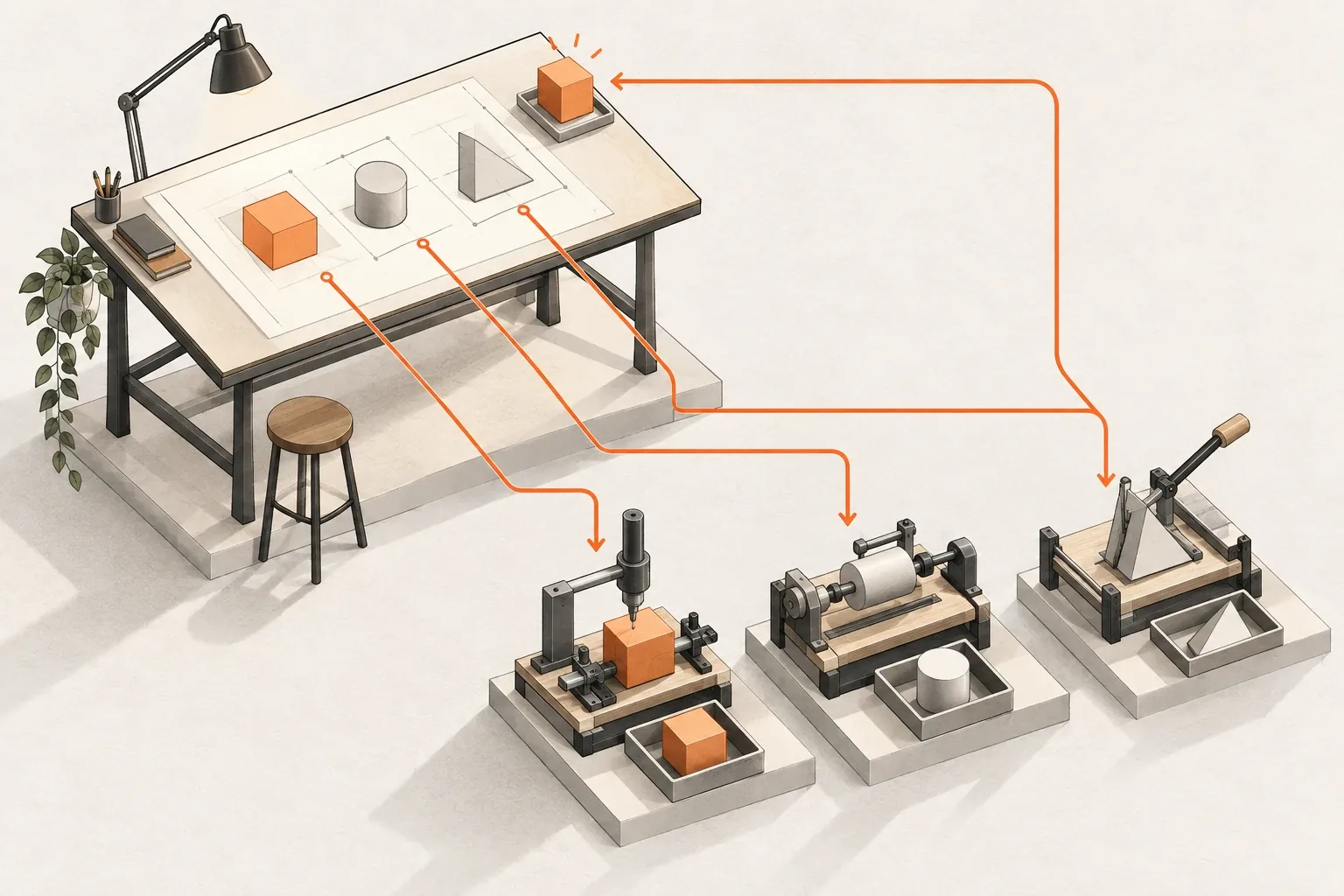
In this split, Codex acts as the orchestrator and planner: it breaks down the task, writes clear instructions, and checks the results. DeepSeek is the executor and does the implementation. Planning needs stronger understanding and judgment, while execution can go to a cheaper model. Most of DeepSeek's tokens were spent during this period.
It's also the most direct example of choosing models by task: different parts of the same project can go to different models.
Recently: back to Claude
When Opus 5.5 came out, I signed up for Claude Max and made Claude my main tool again.
The other reason was stability. Recently, Codex's output quality felt noticeably inconsistent to me: the same kind of task went well one time and poorly the next. I can't confirm why, but stability is what I value most.
Now I've moved almost entirely to Claude. I use Codex mostly for automation work, such as video production, and for small feature changes.
3. How I judge a model
I have four requirements for a model:
- It understands plain language. I don't need to write a formal spec; it still works out what I actually want.
- It follows instructions. It does what I ask, without widening the scope of changes or adding features on its own.
- It stays on target. Late in a task, it still remembers the original goal and constraints.
- It is at least multimodal. It can read screenshots and interfaces. In frontend work and debugging, a lot of information only comes across in images.
These sound basic, but the differences grow over long tasks. Leaderboard scores rarely show whether a model drifts; you can only see that in real work.
4. How I judge an agent
The model sets the ceiling; the agent (the harness) decides whether that capability shows up reliably. I look at four things:
- It keeps the model on long tasks without drifting. Good task breakdown, progress tracking, and context management let the model work for a long time without going off course.
- It has computer use. It can open a browser or an app, look at the interface, click buttons, and check the result. In practice this is very useful for frontend work and end-to-end verification, and it's what made the Codex-directs-DeepSeek setup above possible.
- It has a high cache hit rate. Long tasks re-read the same context over and over, so the cache hit rate directly affects cost and speed.
- Its UI is comfortable. I use it for many hours a day, and a clear, smooth interface is itself a productivity gain.
5. For people just starting out
This is my own experience and may not fit everyone:
- Work out what the task needs, then choose the model. Simple, well-defined tasks can go to cheaper models; tasks that require understanding intent and running long workflows are worth a more stable one. Within one project, a strong model can plan while a cheaper one executes.
- If your agent isn't reliable yet, build the scaffolding yourself. You set the project structure and let the AI implement specific features, which cuts rework a lot. Once your agent can reliably finish long tasks, hand it more.
- Treat the agent as a choice as important as the model. The same model in a different harness can feel completely different.
- Count the total cost. A cheap channel isn't necessarily cheap once you add instability, missing features, and time spent on rework.
- Re-evaluate regularly. Models and tools get a new generation every few months, and today's conclusion may need to change next quarter.
The last point matters most: AI is only a tool. The quality of the output always depends on the person using it.
6. How long these conclusions hold
This article covers my use from November 2025 to September 2026, and the models and plans are the versions named here. When new models come out, or agents gain new capabilities, I'll re-evaluate my choices.
Further reading
AI coding: context, verification, and cost covers preparing context and controlling cost. AI coding workflow: implementation, review, and decisions covers pairing implementation with independent review. Configuring CLAUDE.md covers using a config file to constrain model behavior. After delegating to AI, how does the result return to the original conversation? introduces the subtask plugin I built for DeepSeek Harness.
End of article
Keep reading